
Do you want to know which LLMs match your hardware? llmfit, an open-source terminal application (TUI/CLI) built with Rust, scans your computer’s hardware and instantly tells you which LLMs will run efficiently on it.
llmfit helps you choose the most suitable LLM for your computer’s setup. It analyzes your CPU, RAM, GPU, and supported accelerators and suggests top matches from over 500 models across 133 providers (see the image below, and the demo video in the Usage section).
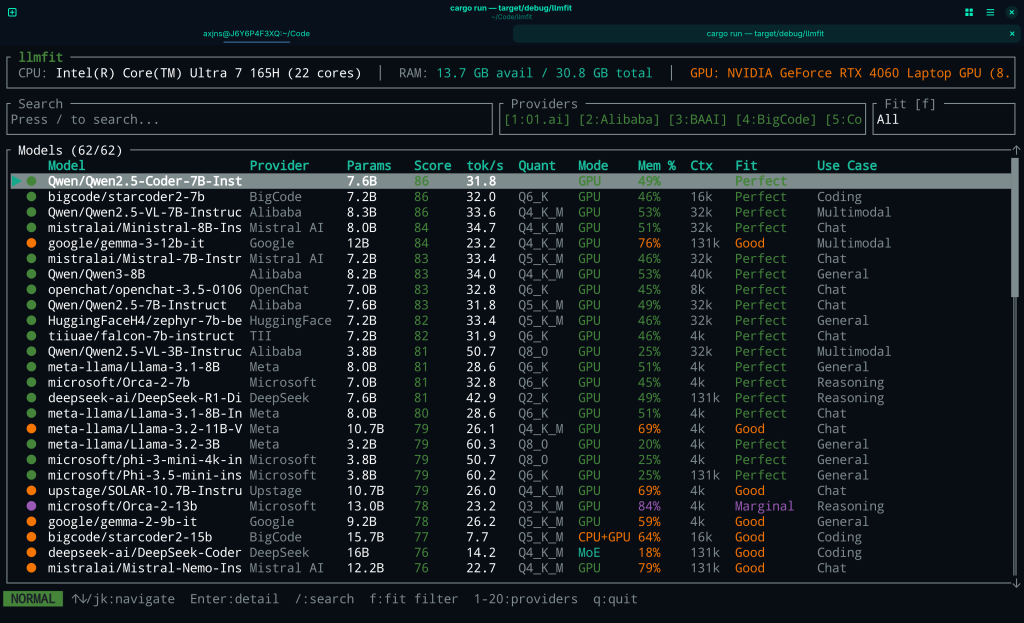
llmfit connects your computer’s real hardware capabilities with the technical specifications listed in model repositories, helping you choose models that truly fit your system.
llmfit compared to other similar tools
Unlike generic model directories like Hugging Face or Ollama’s library, which require manual selection and testing, llmfit automates hardware profiling and dynamic scoring across quality, speed, fit, and context dimensions. Traditional tools like lmfit-py focus on curve fitting, not LLM deployment, while alternatives such as llm-checker benchmark by actually running models but lack preemptive MoE support and comprehensive estimation for 497 models.
llmfit includes backend detection for CUDA, Metal, and ROCm, awareness of quantization levels (such as Q8_0 through Q2_K), and support for architectures including mixture-of-experts (MoE) models. Its interactive TUI allows filtering and exploration directly in the terminal, while structured output formats such as JSON enable integration into automation pipelines or agent workflows.
How to install llmfit on your system
You have several options to install the framework, depending on your system and experience level:
- Quick install (recommended for most users)
- Install with Cargo (for Rust users)
- Install with Homebrew (for macOS and Linux users)
- Build from source (for developers)
For more details, check the official documentation.
Usage
llmfit offers an interactive TUI by default, along with a traditional CLI mode. Running a simple command such as llmfit starts an automatic hardware scan and generates a summary of your detected hardware and a structured list of suggested models.
The following video showcases the main features of llmfit:
- search models (/ key)
- cycle the sorting column (s key)
- filter by capability (C key)
- compare two models side by side: mark one the first baseline model with the m key, and select the second with the c key
- in the compare mode, cycle the selected model with the up and down arrows
- change the color theme (t key)
A few extra features:
- download models by pressing the d key. It will show a download dialog for the selected model. You must have Ollama installed and running (
ollama serve). - filter by use case by pressing the U key, choose from: general, coding, reasoning, chat, multimodal, and embedding.
What users say
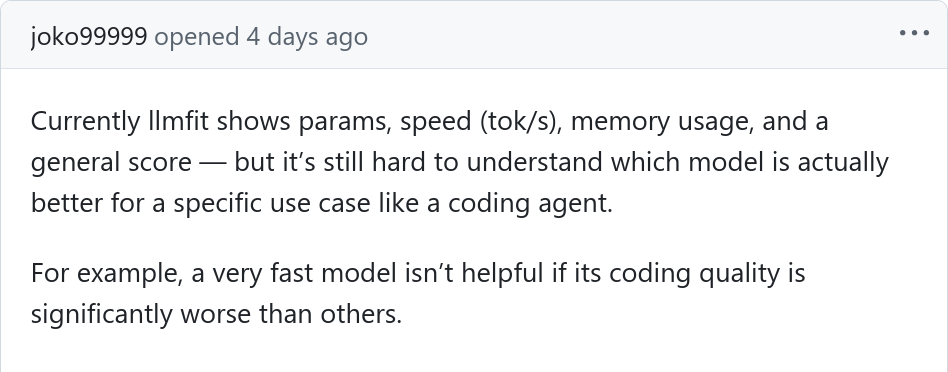
Users generally view llmfit as a highly useful, because it solves a very common problem in the local AI community: figuring out which models will actually run on their hardware. Despite the positive reception, some of them point out certain limitations such as an incomplete model database that may miss niche or very recent releases, although the project is actively maintained (with the latest release in March 2026). For instance, one user noted a discrepancy between the tool’s assessment and their actual setup, stating that llmfit failed to detect their installed Gemma 3 model.